
Edit the recording by editing the words.
Upload a lecture, interview or meeting. Sazpir turns it into a transcript you edit like a document. Cut a sentence and its audio goes with it. Keep the best parts, and take away the text and the sound.
Sazpir is in private testing. Request access to try it early.
How it works
Upload
Add an MP3, MP4 or FLAC file, up to 4 hours long. Press Transcribe.
Read and edit
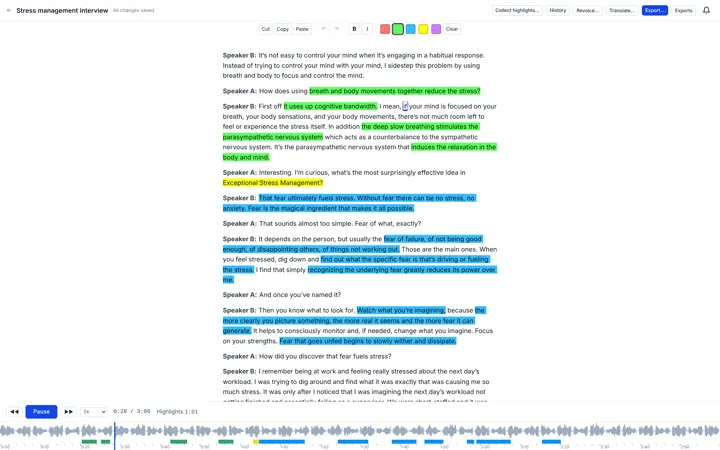
Your transcript opens as one page, with each speaker named. Double-click any word to hear it.
Export
Download the text as Word or OpenDocument, and the audio, in your new order, as MP3 or FLAC.
What you can do
Move the words, and the audio follows
Cut a word, a sentence or a whole answer, and paste it anywhere. Playback and export follow the new order, with no gap at the join.
Hear exactly what was said
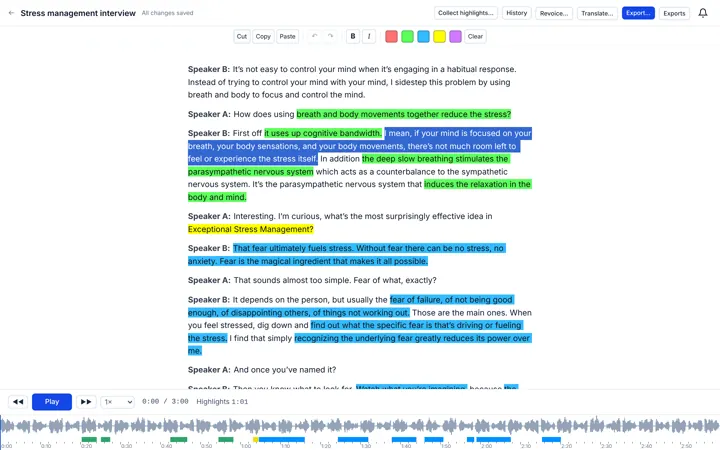
Double-click a word to play from it. Each word lights up as it is spoken. Jump anywhere with the index bar, at seven speeds from half to double.
Keep the best parts
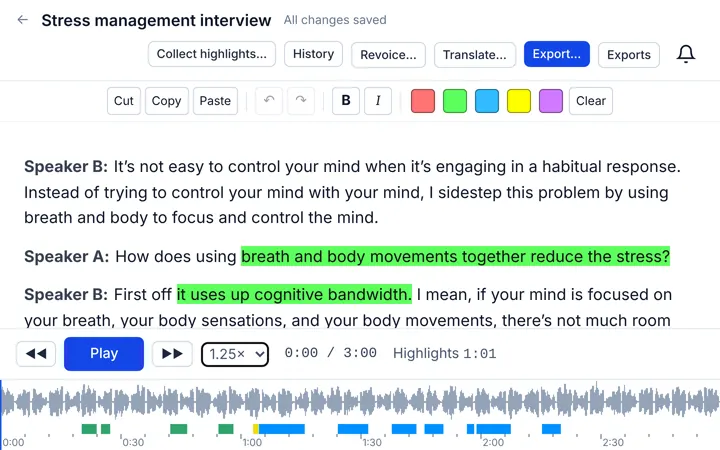
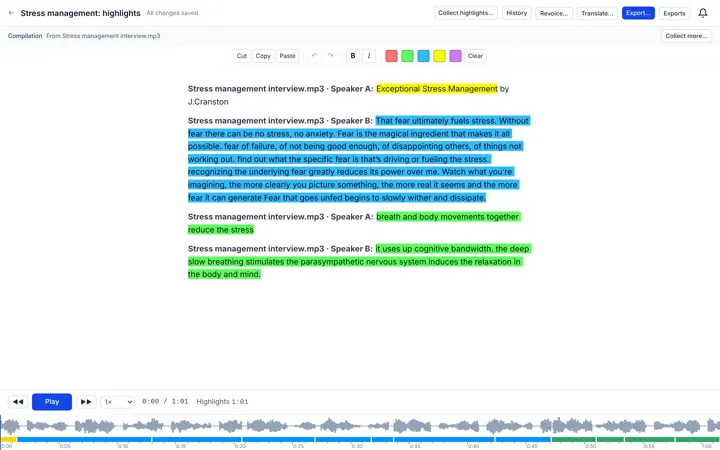
Highlight in five colours, then collect the passages you chose, from one recording or many, into a compilation that plays and edits like any transcript.
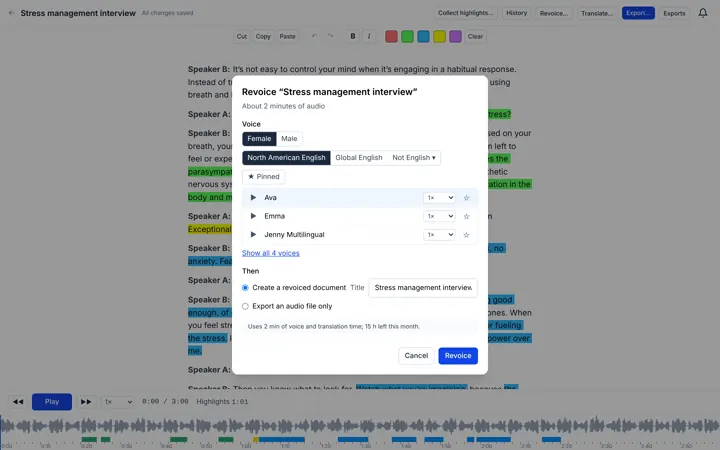
Give it a voice
Have any document read aloud in a voice you choose, at the speed you like. Write a document from scratch, or import one from Word, and hear it.
Read it in another language
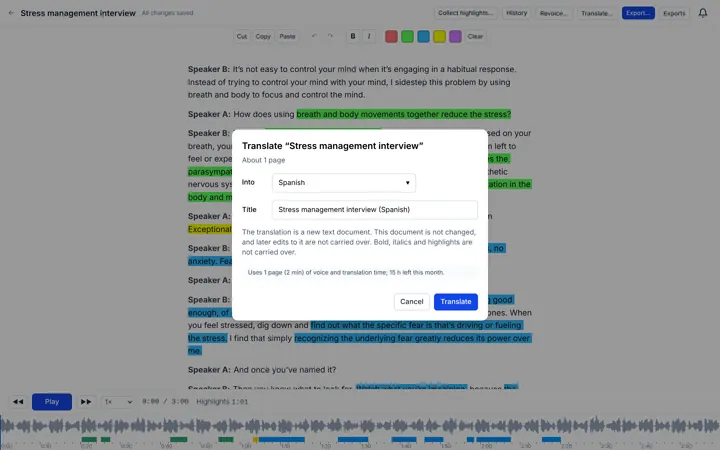
Translate a document, or have a recording translated as it is transcribed. The translation is a new document you can edit, and have read aloud.
Everything included
Imports
MP3, MP4 and FLAC, up to 4 hours and 1 GB each. Keep or discard the video.
Exports
DOCX and ODT for text; MP3 and FLAC for audio.
Speakers
Each change of speaker starts a new paragraph, with the speaker’s name.
Seven speeds
0.5× to 2×, without losing your place.
Index bar
A full-width timeline with time marks and your highlights.
Bold and italic
Format the words that matter, and keep it in your exports.
Text documents
Write one, or import Word or OpenDocument, and give it a voice later.
Word-by-word in more scripts
Chinese, Japanese and Thai are edited, cut and pasted word by word too.
Organised
Folders, drag and drop, and a library that keeps every recording with its transcript.
HD voices
More natural voices for reading your documents aloud.
Private by default
Your recordings are yours. Only you can open them, and you can export or delete everything at any time.
Who it’s for
Students
Record the lecture, keep the parts that matter, type in a topic where one is missing, and listen back on the way home.
Interviewers and researchers
Find the quote, check it against the tape, and pull answers from many interviews into one place.
Professionals
Turn meetings, hearings and calls into documents you can correct, highlight and export.
Podcasters and creators
Cut the episode in the text, then export the audio in the order you wrote.
Plans and pricing
-
Starter
$19.99/month
- 20 hours of transcription a month
- 2 hours of voice a month
- 10 GB of storage
- HD voices
-
Creator
$39.99/month
- 40 hours of transcription a month
- 8 hours of voice a month
- 50 GB of storage
- HD voices
-
Business
Coming Soon
Amounts to be announced.
- hours of transcription a month
- hours of voice a month
- GB of storage
- HD voices
- API access
- Medical Transcription
- Legal Transcription
Prices in US dollars. In the US, sales tax is added at checkout; elsewhere, tax is included where that is usual.
Questions
Is there a free trial?
Yes. Verify your email and you get a free starter: 1 hour of transcription for 14 days, with no card. You can choose a plan at any time.
What happens if I run out of hours?
Nothing is charged automatically. You can buy a top-up, add an add-on, move to a bigger plan, or wait for your plan to renew.
Do unused hours roll over?
Your monthly allowance renews each billing period and does not carry over. Top-ups last 4 months from purchase.
Can I cancel?
Yes, from your billing page, at any time. Your plan stays active until the end of the period you paid for, and nothing in your account is deleted.
What files can I upload?
MP3, MP4 and FLAC, up to 4 hours and 1 GB each.